
Description
HashBar is a handy WordPress Notification Bar Plugin that will take your WordPress site to the next level. You can set up as many notification bars as you want and customize their content to suit your needs. For example, do you need to add an email subscription form? Simply enter in your newsletter title and signup URL, then let it go! With HashBar’s eye-catching color schemes and stunning images (you can add new backgrounds at any time by using the simple WP editor), there’s no way of not being noticed! So spread the word about what you have to offer without having to make much effort with this one-of-a-kind plugin for WordPress sites.
With HashBar, you can create unlimited notification bars to notify your customers. Sometimes this increases up to 500% of subscribers or conversion! In addition, you get to add an email subscription form, offer text, and buttons about any promotions that are going on. These notifications are great for building a solid subscriber list, driving website traffic, and boosting social media activity by sharing functions built right in the bar itself!
HashBar is an easy-to-install notification plugin for WordPress, allowing you to easily create WordPress notification bars that can be used in any resolution (Desktop/Tablet/Mobile). HashBar – WordPress Notification Bar plugin comes with the option to show all of your promotion buttons (like credit offers and giveaways) and add a form for email subscriptions which has been proven %100 effective!
👉 Live Demo | Purchase Pro | Documentation | Support 👈
Video Documentation:
#1: Main Features:
- Gutenberg support
- Elementor Page builder support
- WPBakery Page builder support
- King Composer Page builder support
- Target where to show the notifications (See all targeting options below at #2)
- Custom positioning (Top, Bottom, Left Wall, Right Wall, Promo Banner Top, Promo Banner Bottom)
- Option to load the notification as minimized
- Show / Hide notification based on scroll position
- Show / Hide the close button
- Option to add close button text
- Option to add open button text
- Option to show/hide notification for Desktop Device
- Option to show/hide notification for Mobile Device
- Enable/Disable analytics for the notifications (See all analytics options below at #3)
- Don’t show notification after close (New feature)
- Keep Closed. After manually closing the notification bar once, it will be kept closed from all the pages. (New feature)
- Set how many times the notification should be shown
- Shortcode generator for classic editor
- Promo Banner Gutenberg Block (New feature)
- Promo Banner Image Gutenberg Block (New feature)
- Customize mobile device breakpoint
- Show countdown into the notification bar
- Countdown feature with lots of customization options
- Countdown block for the gutenberg editor
- Compatible With WPML
#2: Targeting Options:
- Option to set notification for the “Entire Site”
- Option to set notification for only the “Homepage”
- Option to set notification for specific “Posts”, “Pages” or “WooCommerce Products”
- Option to set notification for “All products” of a certain WooCommerce Product category(s) (Pro)
- Option to set notification by for some “Page/Post/Custom Posts” by using their ID
- Option to set notification based on certain URL visits (URL parameter)
- Option to set notification for “All Pages”
- Option to set notification for “All Posts”
- Option to set notification for “All Products” &
- Much more
#3: Analytics Options (New Features):
- Total Clicks
- Total Views
- Click Through Rate (CTR)
- Count only 1 record from each IP for the analytics
- Record analytics from (All Users / Guest Users / Registered Users)
- Track the analytics for each notification bar (Pro)
#4: Design Customization Options:
- Content Background color
- Content Background Image
- Content Text Color
- Background Opacity
- Close Button BG Color
- Close Button Color
- Close Button Hover Color
- Close Button Hover BG Color
- Open Button Bg Color
- Open Button Color
- Open Button Hover Color
- Open Button Hover Bg Color
- Notification bar margin and padding
Other Pro Features:
- Exclude certain page/post/custom post for being the notification bar shown
- Support for Sticky/Transparent header
- Schedule notification. The notification will automatically appear on your chosen date/time
- Schedule notification. The notification will automatically disappear after your chosen date/time
- Recurring Countdown. The countdown the countdown timer will automatically restart once the time is over
Compatibility with WPML
HashBar offers seamless integration with WPML, the leading multilingual translation plugin in the industry. This integration allows you to easily translate and localize your website with the plugin, making it accessible to a global audience in their preferred languages. With HashBar, you can break through language barriers and expand your reach like never before.
Wanna see the pro version? Check it out now!
Other Projects
We have a lot of plugins and extensions that might interest you. Try out other projects by following this link:
Woolentor Addons
Woolentor is a WooCommerce page builder plugin that extends the functionality of the WooCommerce store. These Elementor Addons provide additional features and options for WooCommerce stores. Woolentor is the best alternative for ShopReady, Kadence, JetWidgets, ShopEngine, and CoDesigner. The Woolentor addons come with 50+ free Elementor widgets like Wishlist Extension Addon, Product compare, Product Filters, Product Variation Swatches, Shopify Style Checkout, Product Slider and 50+ pro Elementor Widgets like Checkout Fields Editor, Partial Payment, Email Customizer for WooCommerce with ready Email Templates, WooCommerce Email Automation, Multi Step Checkout, and many much more. Also it provide 90+ WooCommerce Elementor templates, 22+ WooCommerce Modules, and Gutenberg Blocks.
HT Mega For Elementor
HT Mega is an Elementor Addons that comes with custom page builder, header builder, footer builder, mega menus, and more for your Elementor based website. The HT Mega plugin also includes a comprehensive set of Elementor widgets, readymade Elementor templates and Elementor Blocks. HT Mega plugin works like ElementsKit, Essential Addons for Elementor, Royal Elementor Addons, Premium Addons, Happy Addons, PowerPack Addons, Unlimited Elements, Qi Addons, etc. The HT Mega plugin provides 84+ free Elementor widgets like Post Grid widget, Slider widget, Accordion widget, Elementor Forms widget, Contact Form Widget, Elementor tables, and other related items. It also provides 18+ pro widgets like Filterable Gallery Widget, Event Box Widget, Breadcrumbs Widget, Elementor Facebook Review Widget, Elementor Category List Widget, etc.
WP Plugin Manager – Deactivate plugins per page
WP Plugin Manager is the perfect solution for those who want to disable certain plugins on specific pages or posts. With this plugin, you can easily activate or deactivate plugins on a per-page or per-post basis. Whichever plugin you don’t need you can deactivate or disable that plugin with the help of WP plugin Manager.
Extensions For Cf7
Contact Form 7 is an excellent plugin for organizing your contact page. The CF7 extensions plugin includes Contact Form 7 Database, enabling Conditional Fields for Contact Form 7, etc. It allows fields to be set up as either visible or hidden depending upon the input from visitors. In addition, integrating seamlessly with Mailchimp brings leads generated every time someone fills out one form into an associated email list immediately.
Whols
Whols is an outstanding plugin for WooCommerce that allows store owners to set wholesale prices for the products of their online stores. With Whols, you can easily add custom fields to your registration form, set minimum product requirements, and control how wholesale prices are displayed on both the shop and product detail pages. Whols work like Wholesale Suite, B2Bking and B2B plugins.
Just Tables
JustTables is a WooCommerce product table plugin that helps you easily create and manage tables for your products. It includes 28 pre-built columns with options to enable/disable, and you can add custom columns with custom fields/taxonomies. Just Tables also allows you to order table columns using drag and drop and set the number of products per page.
Swatchly
Swatchly is a WooCommerce product variation swatches plugin that allows you to add color swatches to your product pages. With Swatchly, you can enable swatches for the shop, product list, and product details pages. There are three swatch types (label swatche, color swatche, image swatche), and the plugin supports multi-colored swatches.
HT Slider For Elementor
HT Slider For Elementor is a powerful and user-friendly slider addon for Elementor. You can customize the look and feel of your slider with HT Slider’s custom styling options. You also have the option to display your slides by id and category. Plus, HT Slider For Elementor comes with custom design options for slider navigation and pagination, so you can easily control the look and feel of your slider.
HT Contact form
HT Contact Form 7 Widget is an Elementor addon that allows you to easily drag and drop Contact Form 7 forms into your web pages. With the help of this plugin, you can choose your form from the drop-down list, Custom Styling Options, and add it to any page or place on your website. The HT Contact Form 7 Widget is an essential tool for anyone using Contact Form 7 on their website.
👉 Need Help?
Is there any feature that you want to get in this plugin?
Needs assistance to use this plugin?
Feel free to Contact us
Screenshots
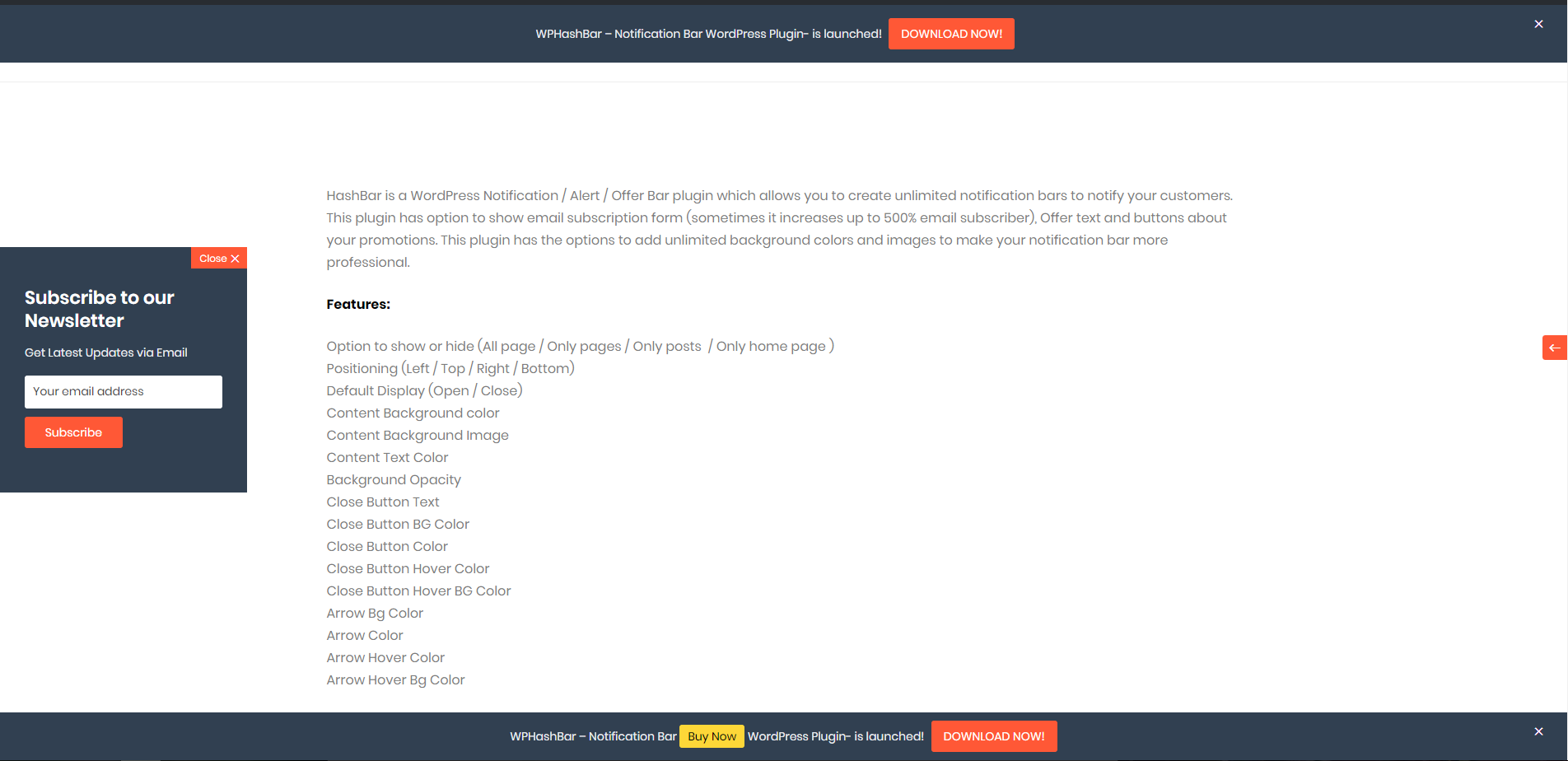
All Notification Bars Live Preview 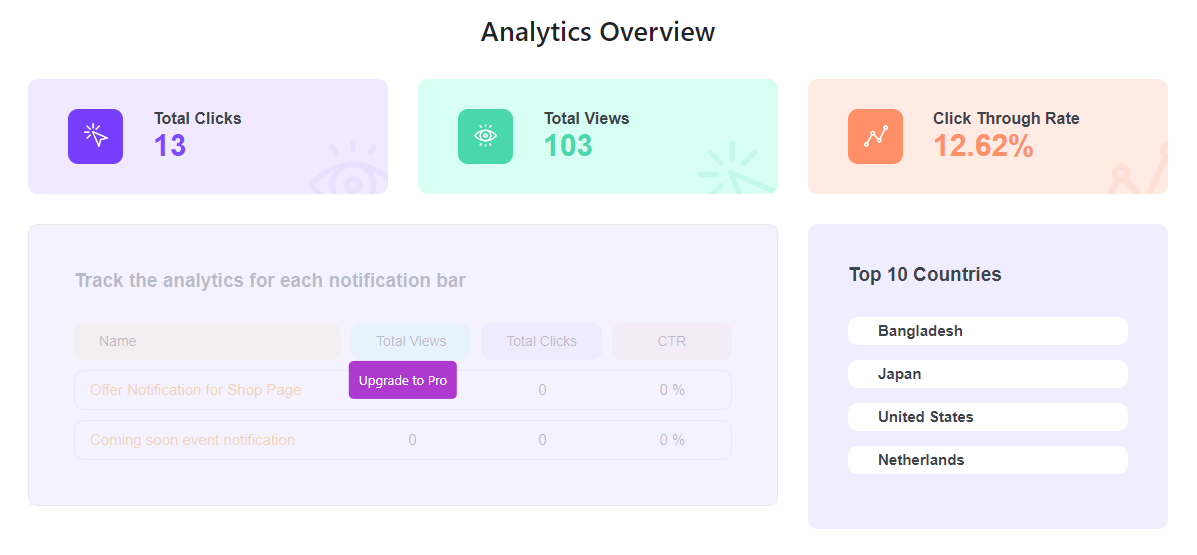
Analytics Overview 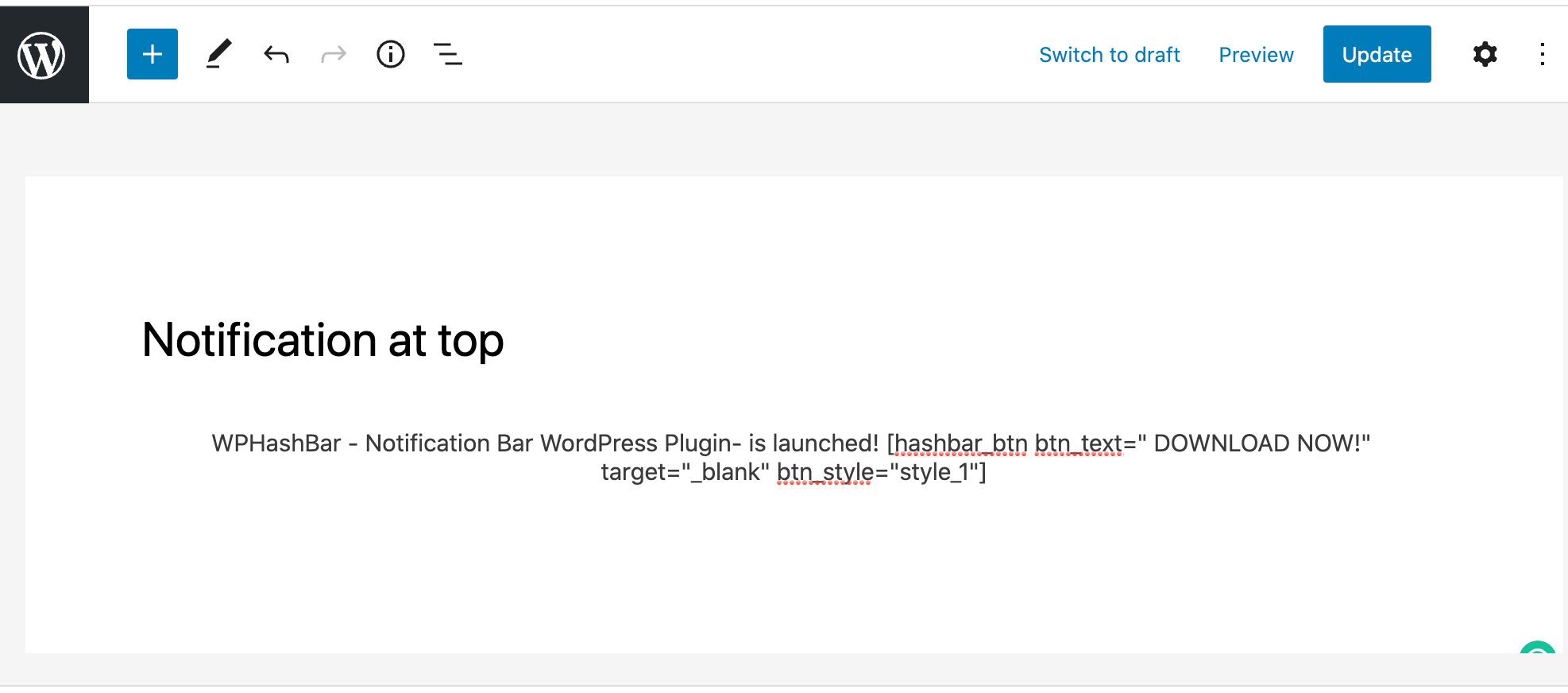
Add Notification Bar With Gutenberg Editor 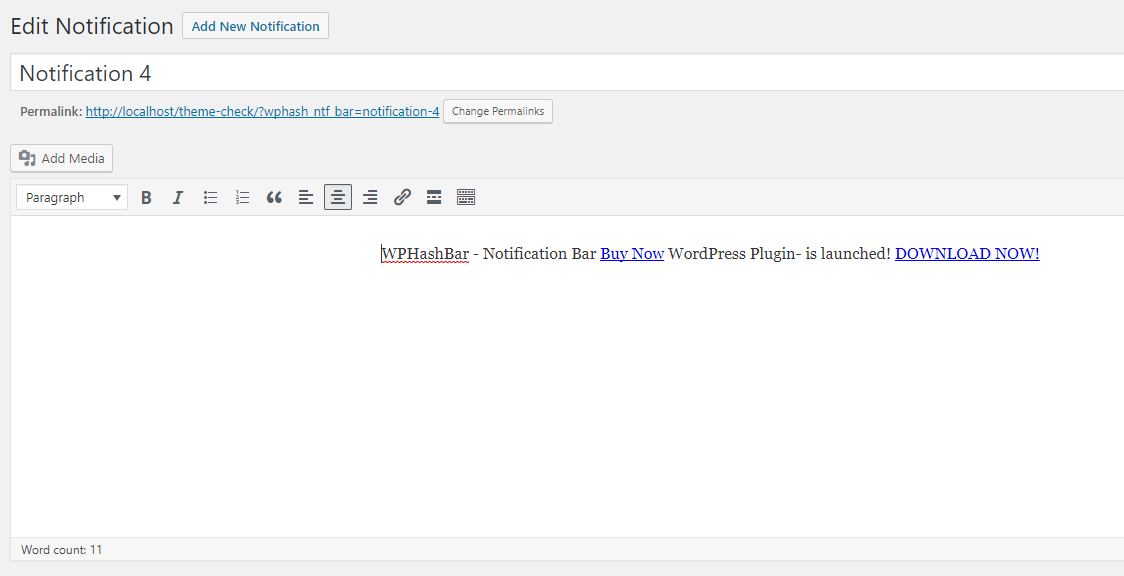
Add Notification Bar With Classic Editor 
Customization General Options 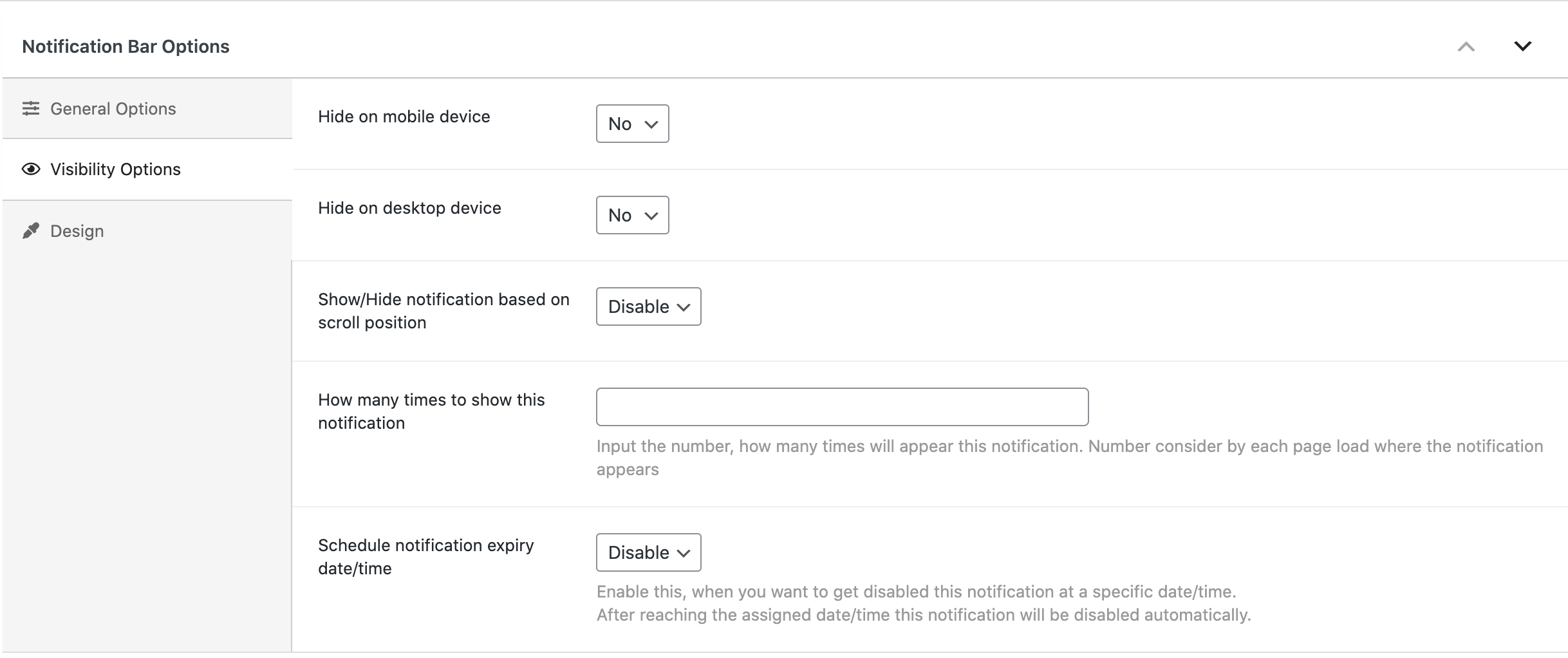
Customization Visibility Options 
Customization Design Options 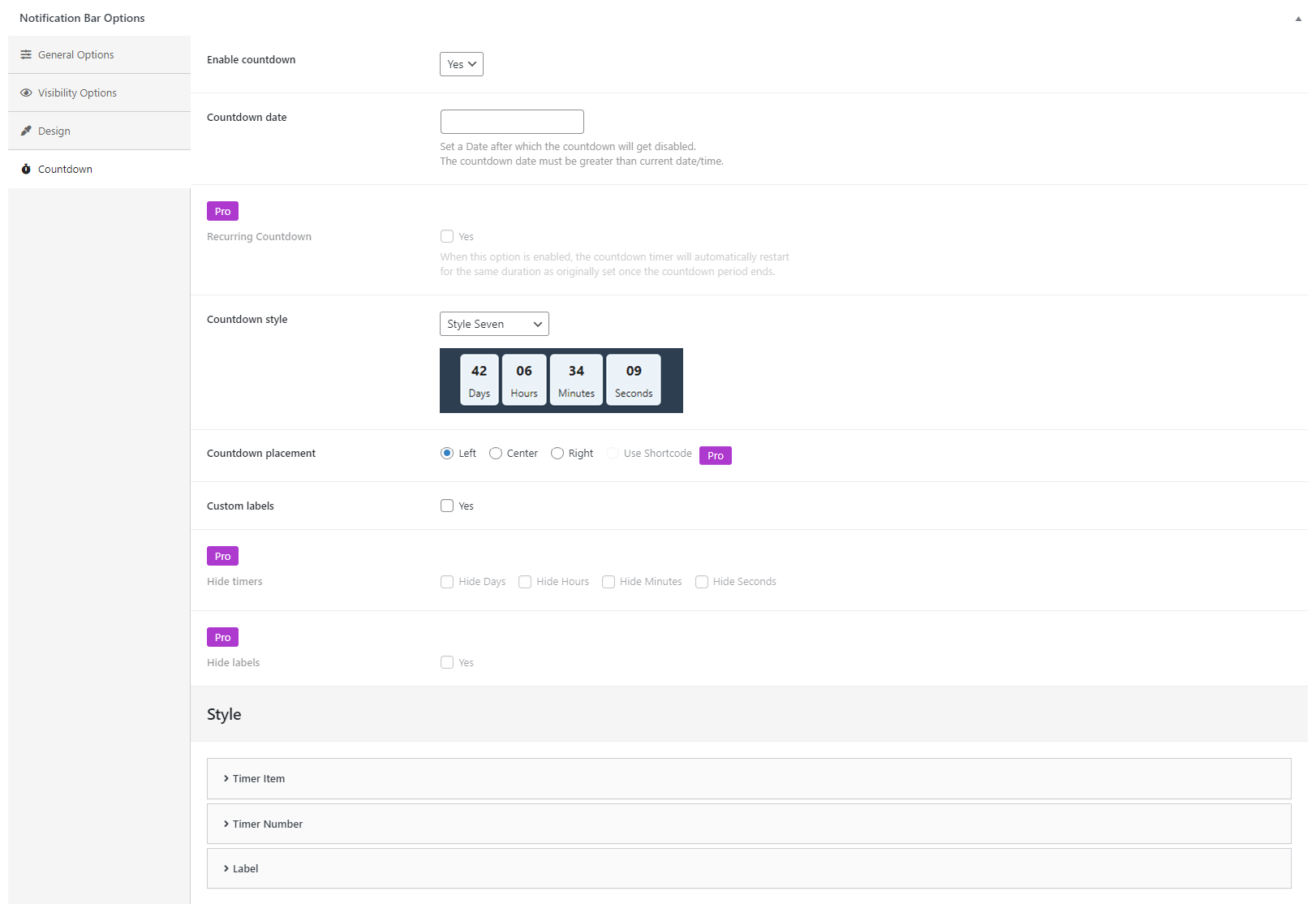
Customization Countdown Options
Installation
This section describes how to install the HashBar – WordPress Notification Bar plugin and get it working.
1) Install
Modern Way:
- Go to the WordPress Dashboard “Add New Plugin” section.
- Search For “HashBar”.
- Install, then Activate it.
Old Way:
- Unzip (if it is zipped) and Upload
hashbar-wp-notification-barfolder to the/wp-content/plugins/directory - Activate the plugin through the ‘Plugins’ menu in WordPress
2) Configure
- After install and activate the plugin you will get a notice to install CMB2 Plugin, please install it to get this plugin’s full functionality
- To install the plugin click on the “install” link from the notification
- ‘HashBars’ Menu will be appear in Backend
- Create new HashBar and relax!
Reviews


Contributors & Developers
“HashBar – WordPress Notification Bar” is open source software. The following people have contributed to this plugin.
Contributors


Translate “HashBar – WordPress Notification Bar” into your language.
Interested in development?
Browse the code, check out the SVN repository, or subscribe to the development log by RSS.
Changelog
Version: 1.4.7 – Date: 04 April 2024
- Added: Option to add border on notification content area.
Version: 1.4.6 – Date: 03 April 2024
- Fixed: Escaping issues have been resolved in multiple areas.
Version: 1.4.5 – Date: 13 Mar 2024
- Fixed: The “Don’t Show Notification After Close” and “Keep The Notification Bar Closed” options were causing all notifications to disappear
- Fixed: Cookie Count not getting update issue
- Fixed: Diagnostic data notice dismiss issue
Version: 1.4.4 – Date: 17 Dec 2023
- Tweak: CSS for cross-browser compatibility
- Tweak: Opt-in message to provide non-sensitive diagnostic data and usage information to improve the plugin
Version: 1.4.3 – Date: 16 Oct 2023
- Tweak: Added compatibility with WPML plugin.
Version: 1.4.2 – Date: 13 Sep 2023
- Tweak: Filtered the gutenberg blocks link while displaying.
- Fixed: Showing the notifications on search page issue.
Version: 1.4.1 – Date: 05 Sep 2023
- Fixed: Prevent allowing to input javascript: in the URL field in the notification bar, promo banner, and promo banner image block.
Version: 1.4.0 – Date: 01 Aug 2023
- Updated: Language file.
Version: 1.3.9 – Date: 19 June 2023
- Added: Cookie expire time.
Version: 1.3.8 – Date: 14 Jan 2023
- Tweak: Updated all URLS which is treated as Malware URL by Wordfence plugin
Version: 1.3.7 – Date: 12 Jan 2023
- Tweak: Updated pattern image for WordFence DNS issue
Version: 1.3.6 – Date: 26 Dec 2022
- Fixed: Some bugs in the hashbar_btn shortcode
Version: 1.3.5 – Date: 27 Sep 2022
- Updated: Plugin list in the Recommendations menu
- Fixed: Invisible directory of javascript file in Codestar library
Version: 1.3.4 – Date: 11 Aug 2022
- Fixed: Keep close bar option was not working after enabling show/hide scroll position.
Version: 1.3.3 – Date: 25 Mar 2022
- Added: No Follow and Sponsored attribute add in button.
- Fixed: Hashbar block pattern disable for other post.
Version: 1.3.2 – Date: 16 Mar 2022
- Fixed: When Custom->All Posts is selected as the display location. The notification also displays for products.
Version: 1.3.1 – Date: 13 Feb 2022
- Added: Filter hook named hashbar_should_output
- Fixed: Guentenberg block text missplacement
Version: 1.3.0 – Date: 24 Jan 2022
- Added: Countdown feature with lots of customization options
- Added: Countdown Block for gutenberg editor
- Removed: Update notice
Version: 1.2.8 – Date: 2 Dec 2021
- Fixed: image uploads url cnaged by hashbar post
Version: 1.2.7 – Date: 13 Nov 2021
- Fixed: Individually show or hide the show button in notificaiton bar
- Fixed: Left and right’s wall notification bar width in mobile device.
Version: 1.2.6 – Date: 6 Nov 2021
- Added: Option to notification show button enable disable
Version: 1.2.5 – Date: 16 Oct 2021
- fix issue of admin bar dropdown menu cover by notification bar
- fix jQuery load function deprecated issue
Version: 1.2.4 – Date: 3 Oct 2021 (Major Update)
- Completely Rewrites: Old CSS & the JS codes (Clearing cache after updating to this version is recommended)
- Improved: Metabox options to make it more user friendly & serve better user experience
- Improved: A few options names to describe the usages of those options more clearly
- Added: Analytics feature
- Added: Option to show/hide notification based on scroll position
- Added: Option to keep the notification bar closed by using cookie
- Added: Option to set notification for Specific Posts / Pages / Products (Previously it was available in the PRO version only)
- Updated: Background image field data type (previously it was “string” from now the field type is “array”)
Version: 1.2.3 – Date: 26 Aug 2021
- Fixed: Gutenberg widget conflict problem
Version: 1.2.2 – Date: 14 Aug 2021
- fixed: fix notification bar conflicting issue with promobanner.
- fixed: fix notification bar menu cover issue with scrolling.
- Added: only show and only hide notification and promo banner with scrolling.
Version: 1.2.1 – Date: 02 Aug 2021
- fixed: multiple promo banner selector issue.
- fixed: improve scroll position accurate value.
Version: 1.2.0 – Date: 19 Jul 2021
- Added: Promo Banner gutenberg block.
- Added: Promo Banner image gutenberg block.
- Added: Enable Mobile Device break poing option
- Added: Option for Promo Banner show hide with scroll positon.
- Added: Top and bottom position for Promo Banner
Version: 1.1.9 – Date: 27 May 2021
- Pro version deactivate option on activate the light version
- add pro feature only for showing and highlight the pro version.
Version: 1.1.8 – Date: 18 jan 2021
- Remove Material icon dependency
- Add svg icon
Version: 1.1.7 – Date: 2021-01-06
- Capability With latest WordPress version
Version: 1.1.6 – Date: 2020-12-01
- Add alignment option in block.
- Fix blang p tag issue.
Version: 1.1.5 – Date: 2020-10-25
- Gutenbeg block Issue solved.
Version: 1.1.4 – Date: 2020-10-25
- Add content margin and padding option.
- Enable gutenbeg block.
- Add hashbar button shortcode as gutenberg block in block editor.
Version: 1.1.1 – Date: 2020-04-25
- Divi conflict issue solved.
- Mobile body Extra space issue solved. (thanks to mikeydiamonds)
- Avada mobile menu conflict issue solved
Version: 1.1.0 – Date: 2020-03-30
- Multiple Activation Issue Solved.
- Close Button Style issue solved.
- Meta box conditional Field issue solved.