
Description
Run ghost.blog from WordPress
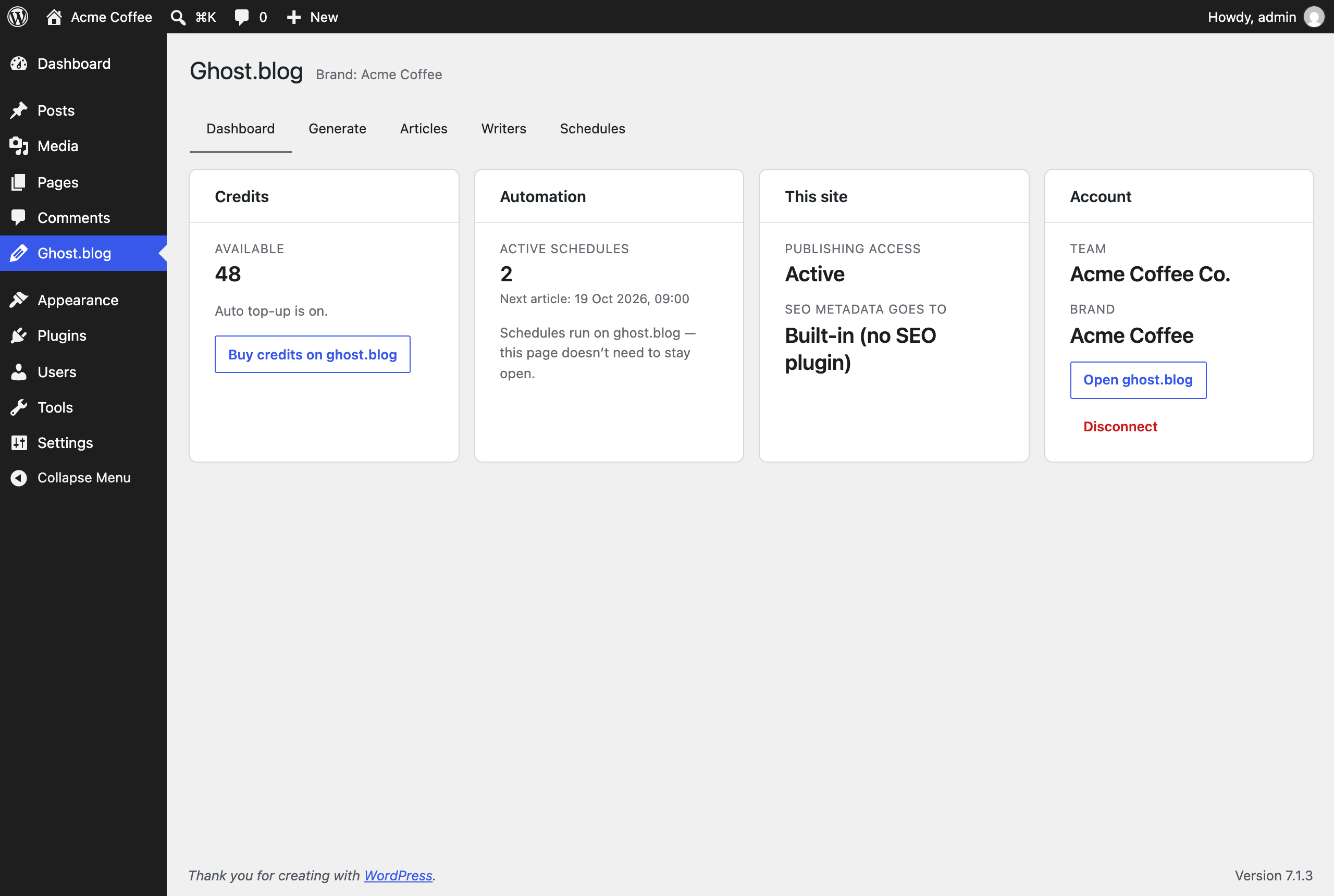
Since 1.3.0 the plugin adds a Ghost.blog menu to wp-admin. Connect your
site once and, without leaving WordPress, you can:
- see your credit balance and what’s scheduled next;
- generate an article and watch it being written, then open the draft in the editor;
- browse every article ghost.blog wrote for this site;
- edit your brand profile: name, tagline, description, audience and voice;
- edit your ghost writers’ voice, audience and default keywords;
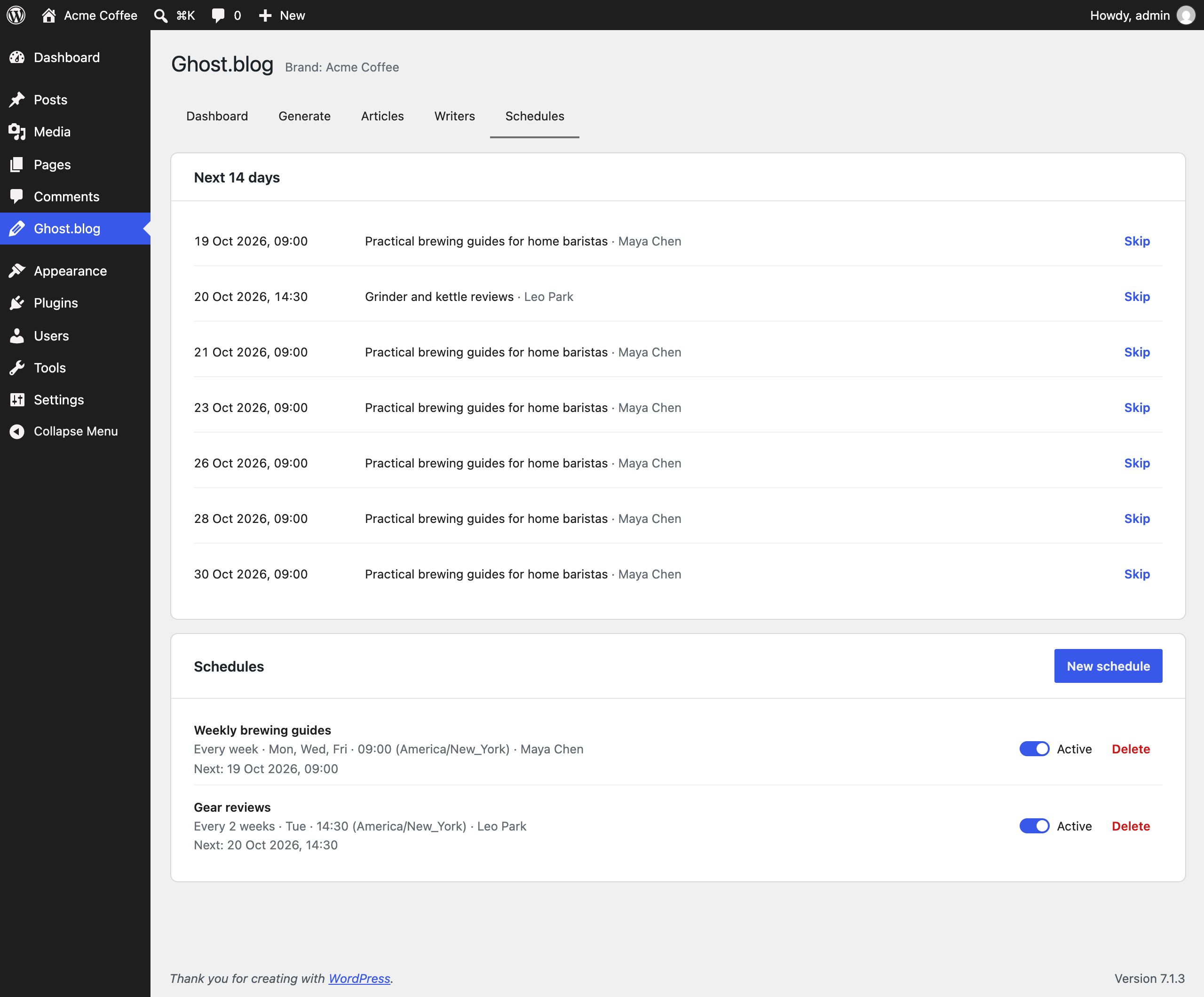
- create, pause and skip publishing schedules. Schedules run on ghost.blog, so
articles keep arriving even when nobody is logged in.
The control panel is opt-in. Until an administrator presses
“Connect to ghost.blog”, it sends nothing anywhere. ghost.blog is a paid
service: generating articles uses credits from your ghost.blog account (new
accounts include free credits). Buying credits and managing your team happen
on ghost.blog.
Only administrators can connect the site or change writers and schedules,
because those spend your team’s credits. Users who can publish posts can
generate articles, and anyone who can edit posts can view the panel.
SEO metadata
When ghost.blog publishes an article to your WordPress site, this connector
writes the AI-generated SEO title, meta description, focus keyword, and Open
Graph image into whichever SEO plugin you use:
- Yoast SEO
- Rank Math
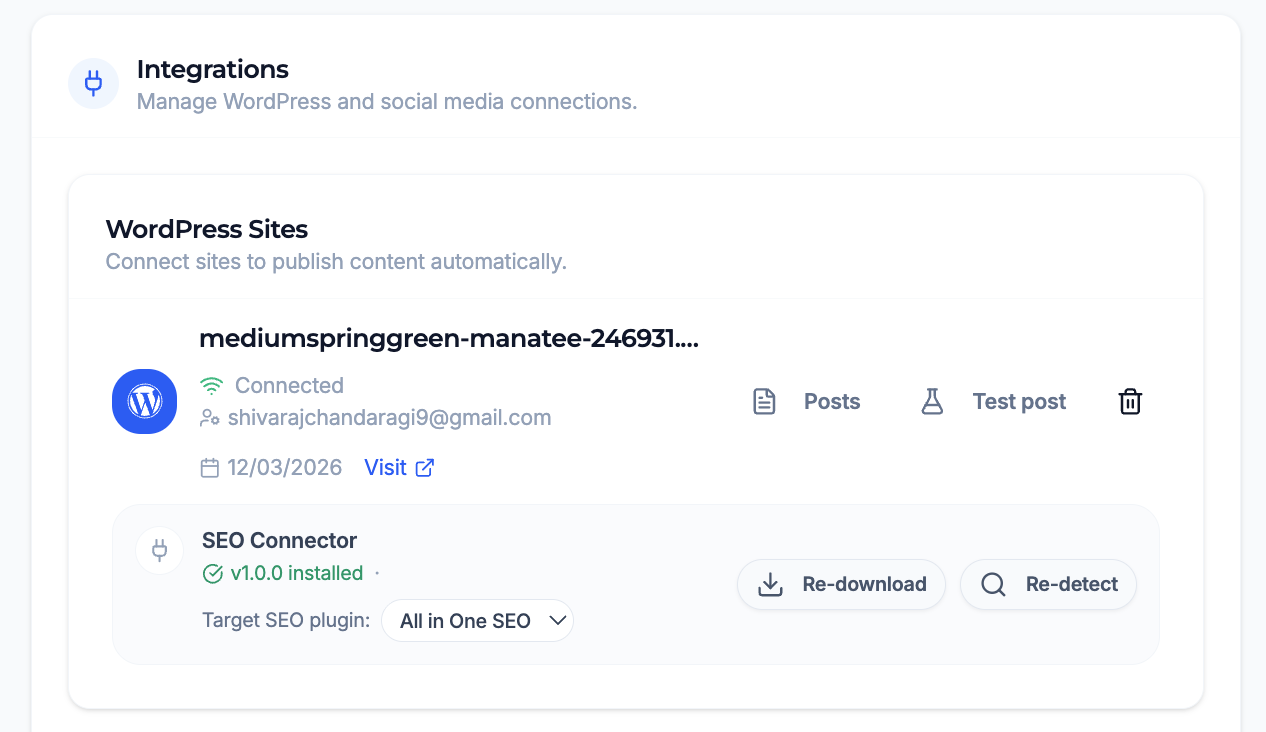
- All in One SEO (AIOSEO)
No SEO plugin? You no longer need one. Since 1.2.0 the connector keeps the
metadata itself and writes the title, meta description and Open Graph / Twitter
tags into your pages directly. It does this only while no dedicated SEO plugin
is active – install one at any time and the connector stops rendering and hands
the metadata over to it instead, so your pages never carry duplicate tags.
The built-in renderer stays deliberately small: a title, a description and
social tags on single posts ghost.blog wrote. It does not touch canonicals
(WordPress already emits those), robots rules or sitemaps. If you want those,
install a full SEO plugin – the connector will feed it.
The plugin exposes three authenticated REST endpoints under /wp-json/ghost-blog/v1/:
GET /info— reports the connector version and which SEO plugin is active.POST /seo-meta— writes SEO fields to a post.POST /llms-txt— stores the brand summary this site then serves at/llms.txt.
They require a logged-in user with the edit_posts capability (publish_pages
to replace llms.txt), using the same application-password credentials you
already configured in ghost.blog. The one file the plugin serves publicly is
/llms.txt, which is meant to be read by answer engines.
External services
This plugin connects to ghost.blog (https://ghost.blog), an AI content
service operated by the plugin’s author, but only after an administrator
connects the site from the Ghost.blog menu in wp-admin. Nothing is sent before
that.
What is sent, and when:
- When connecting: the site’s home URL, sent once to exchange a one-time
approval code for an access token. The token is stored in this site’s
database and is never shown in the browser. - While you use the panel: requests made on your behalf to load your
account, credits, brand, articles, writers and schedules, plus whatever you
submit: article topics and keywords, brand and writer settings, and schedule
settings. - On disconnect: a request that revokes the access token.
ghost.blog also calls this site’s REST API, using an Application Password you
approve, to publish articles and write SEO metadata. You can revoke it at any
time under Users Profile Application Passwords.
- Terms of Service: https://ghost.blog/terms
- Privacy Policy: https://ghost.blog/privacy-policy
Screenshots

Installation
- In your WordPress admin, go to Plugins Add New and search for “SEO Connector for Ghost.blog”.
- Click Install Now, then Activate.
- Back in ghost.blog, open the SEO Engine tab and click “Re-detect” — your SEO plugin should now show as connected.
FAQ
-
Do I need an SEO plugin installed?
-
No, not since 1.2.0. If Yoast SEO, Rank Math or All in One SEO is active the
connector writes into it. If none is, the connector stores the metadata itself
and renders it into your pages.The one case that still needs attention: if you run a dedicated SEO plugin the
connector has no adapter for – SEOPress, The SEO Framework, Slim SEO or
Squirrly – it steps aside to avoid duplicate tags, and metadata is not written.
Those plugins own your site’s head, and the connector will not fight them. -
Does the plugin send my content anywhere?
-
Only if you connect the control panel, and then only what’s listed under
External services. Without connecting, the plugin just responds to
authenticated REST requests from ghost.blog and never initiates a request
itself./llms.txtis a public summary of your brand that ghost.blog pushes to
the site for answer engines to read; it contains nothing you have not already
published. -
Do I have to keep wp-admin open for schedules to run?
-
No. Schedules run on ghost.blog’s servers. They stop only if your credits run
out (unless auto top-up is on), or if the Application Password ghost.blog
publishes with is revoked. -
What happens if I disconnect?
-
The control panel stops working until you connect again. Existing schedules
keep running and ghost.blog can still publish to the site. To stop those, remove
the site in ghost.blog or revoke its Application Password. -
How does it authenticate?
-
ghost.blog’s requests to this site use the WordPress application-password
credentials you approve in ghost.blog. The control panel’s requests to
ghost.blog use an access token created when an administrator connects the site.
That token covers only the brand this site publishes for. -
My theme ignores the SEO title. Why?
-
The built-in renderer sets the title through WordPress’s own
pre_get_document_title filter, which only applies to themes that declare
title-tag support – effectively every theme written in the last decade. A
theme that hardcodes its own<title>tag will keep winning. The meta
description and social tags still apply there. -
Which SEO plugin does it write to if I have more than one active?
-
The connector resolves a single adapter in priority order (Yoast SEO, then Rank
Math, then All in One SEO) and writes to the first supported plugin it detects.

Contributors & Developers
“SEO Connector for Ghost.blog” is open source software. The following people have contributed to this plugin.
Contributors
Translate “SEO Connector for Ghost.blog” into your language.
Interested in development?
Browse the code, check out the SVN repository, or subscribe to the development log by RSS.
Changelog
1.4.0
- New Brand profile tab: edit the brand’s name, tagline, description, website, audience, voice and location from wp-admin, and see its logo and colours. Administrators only can edit.
- The Ghost.blog menu now uses the ghost.blog ghost icon, recoloured to match your admin colour scheme.
- The Dashboard’s credits button now reads “Buy credits”.
1.3.0
- New Ghost.blog menu in wp-admin: connect your site, then generate articles, browse them, edit ghost writers and manage publishing schedules without leaving WordPress. Opt-in; requires WordPress 6.6+ (the SEO connector features still work on 5.6+).
GET /inforeports whether the control panel is connected.- Replacing llms.txt now requires the
publish_pagescapability (Editors and above) instead ofedit_posts. - Deleting the plugin keeps your SEO metadata, llms.txt and control-panel connection, so ghost.blog’s automatic updates (which reinstall the plugin) never strip them. Use Disconnect in the panel to end the connection.
1.2.0
- An SEO plugin is now optional: when none is active, the connector stores SEO metadata itself and renders the title, meta description and Open Graph / Twitter tags.
- Steps aside automatically for Yoast, Rank Math, AIOSEO, SEOPress, The SEO Framework, Slim SEO and Squirrly, and leaves Open Graph alone when Jetpack is already emitting it, so pages never carry duplicate tags.
GET /infonow reports whether the built-in renderer is active and, if not, which plugin is handling the head.- Purge page caches after writing SEO metadata or llms.txt, so LiteSpeed, WP Rocket and W3 Total Cache stop serving the previous version.
1.1.0
- Serve a brand llms.txt at /llms.txt, generated and pushed by Ghost.blog for AI search engines.
1.0.0
- Initial release. Yoast SEO, Rank Math, and AIOSEO support.